Permissions required to set up service connections in Azure DevOps
Are you experiencing errors when trying to set up new service connections in your Azure DevOps project? Here’s a rundown of the permissions you’ll need.
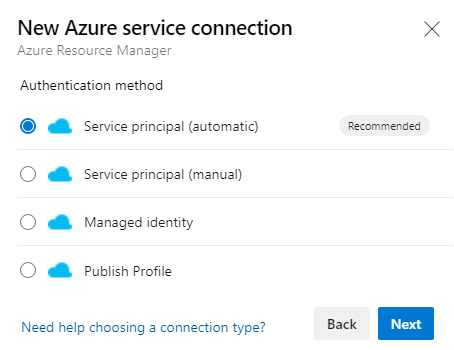 |
| Ever wondered what happens behind the scenes when you select the automatic option when creating a new service connection in Azure DevOps? |
What is happening when you set this up?
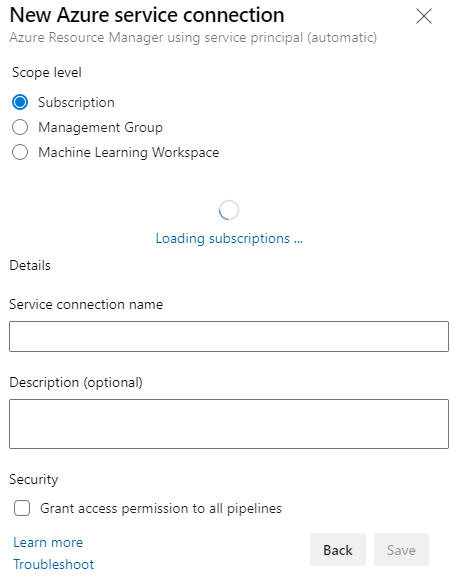 |
| We’ll cover the case of subscription - but the principles are the same |
The objective of a service connection is to allow your Azure DevOps environment to interact with your Azure resources.
When you submit the above form with the “Automatic” setup option, Azure DevOps uses your existing user context to
- Create a service principal /app registration in your Azure AD
- Assign contributor permissions to this service principal at the assigned scope
- Register the connection with Azure DevOps by creating a secret key and using that in the project’s service connection
To fulfill these tasks you will need the following permissions:
- To create a service principal, you’ll need permissions over the directory. Users who need permissions could be assigned the Azure AD Role of Application Developer or Application Administrator
- To grant contributor permissions to the desired scope, you will need to have “reader” permissions on the subscription to navigate the subscription filter and “Owner” permissions to grant a role over the desired scope. You can also choose no resource group which will assign the service principal “contributor” role at the subscription level)
but how does the “manual” option work?
In a very similar way to the “automatic” option, but instead of creating a new service principal/app registration, the “manual” method uses an existing one.
Simply fill in your desired scope of subscription and enter the application ID under “Service Principal Id”.
The service principal key will need to be manually created, you can reach the page via Azure AD -> App Registrations -> Certificates & Secrets -> Client Secrets. Note that creating a key here will show you the value one time.
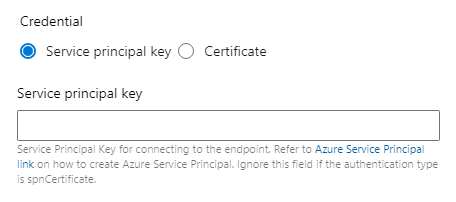
Remember to renew and update these keys when they expire!