Recovery Services Vault Immutability
Feature announced for General Availability in March 13, 2023
I’ll just be covering this for the Recovery Services Vault service as it’s what most enterprises would use to secure production data.
What is immutability?
Immutability of backups refers to the ability to ensure that backup data remains unaltered and cannot be deleted or modified for a specified period of time. For Azure Backup vaults, there are 3 levels of immutability a vault can have
- Disabled - The vault doesn’t have any immutability controls set
- Enabled - The vault will not allow operations that could result in a loss of data, this control can be turned off
- Enabled and locked - As above, with the extra control that the control cannot be turned off
This service is offered for both Azure Recovery Services Vaults and Azure Backup Vaults, enabling immutability prevents the following actions:
| Operation Type | Description |
|---|---|
| Stop protection with delete data | A protected item can’t have its recovery points deleted before their respective expiry date. However, you can still stop protection of the instances while retaining data forever or until their expiry. (Same for Backup Vault) |
| Modify backup policy to reduce retention | Any actions that reduce the retention period in a backup policy are disallowed on Immutable vault. However, you can make policy changes that result in the increase of retention. You can also make changes to the schedule of a backup policy. |
| Change backup policy to reduce retention | Any attempt to replace a backup policy associated with a backup item with another policy with retention lower than the existing one is blocked. However, you can replace a policy with the one that has higher retention. |
Why would I want immutability?
This feature within Azure Backup is important for data protection and compliance, as it protects against accidental or malicious deletion of backups or tampering with backup policies that could result in a reduction of backups.
By enabling immutability, backups are made read-only (cannot be deleted) and can only be accessed for restore purposes. This helps to protect against ransomware attacks, accidental deletion, or any unauthorized modification to backup data.
What about my previously set recovery services vault security controls?
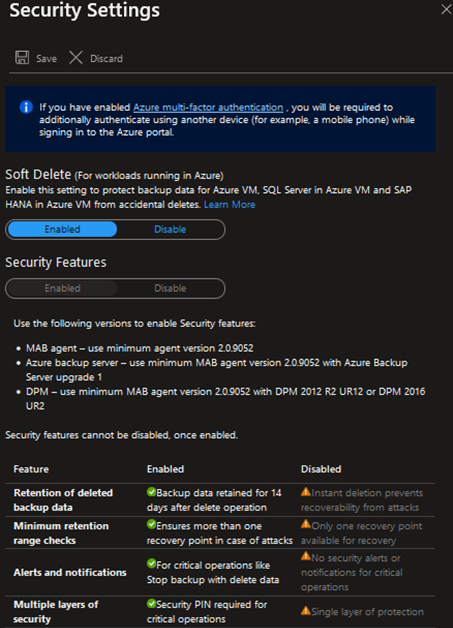
Previously there was an irreversable security settings control which would email all subscription administrators whenever backup data was to be deleted, these would enter a soft-delete state for period of time with alerting. As a vault could not be removed before all backup data inside was removed, this essentially prevented the vault from deletion.
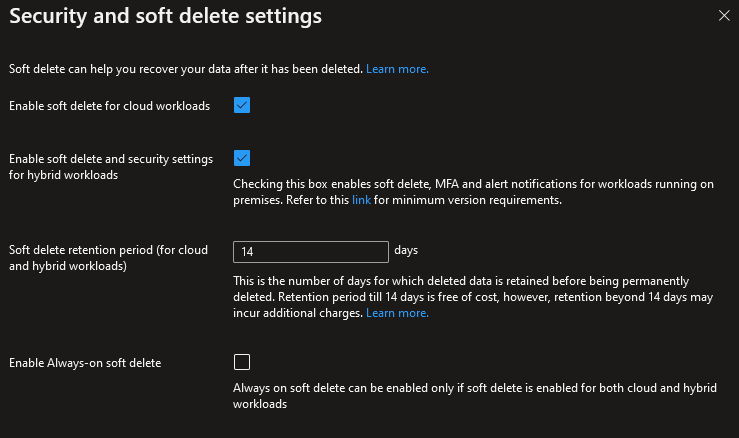
I’ve had a look around and it looks like these have now been separated out under “Enable soft delete and security settings for hybrid workloads”, although it looks like this checkbox can now be toggled off, the immutability control looks like it’s been separated out for more granular control.
Keep in mind this is not vault immutability! While it does help prevent your data from being deleted, this does not seem to prevent the switching of policies or reducing the retention period of existing policies that are used by a VM.
The previous controls around security features:
Approach to adoption
As the enabled and locked form is actually what is immutable, this would be the target final state.
However as this state restricts our abillity to reduce and modify vault policy to be shorter, I would recommend enabling vault immutability (without locking) for a period of time until backup policies have been finalised before locking.
How do I to set this control?
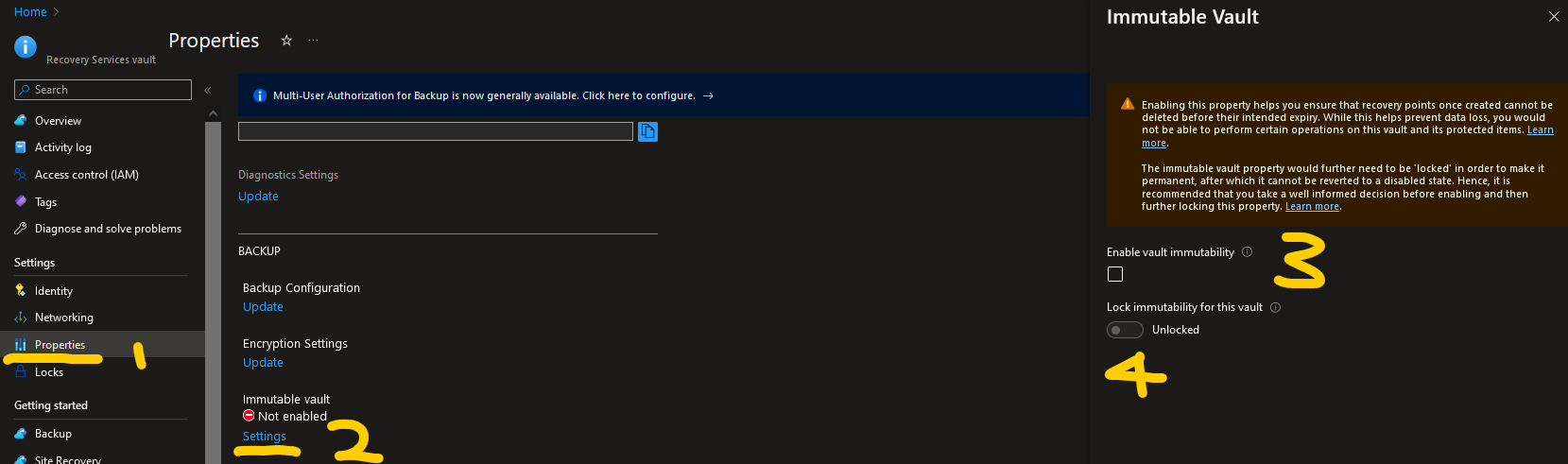
You will first need Contributor or above permissions to the resource or the immutablility controls will not show
Within your Recovery Services Vault (1), navigate to properties (2), under “Immutable Vault”, select the “Settings” button (3) and update the immutability settings as required (4)